CDU Heilbronn Phishing: What Happened and How to Spot Emails From a Hacked Account


Criminals gained access to an email account of the CDU district association in Heilbronn and used it to send phishing messages to ministries, political contacts and Chancellor Friedrich Merz. According to Heilbronn police, quoted by the German press agency dpa on 17 October 2026, the emails went to around 6,500 contacts, many of them in security-relevant areas. At least one message contained a link presented as an invitation to an event with prominent guests. Police are treating the case as a phishing attempt. How the account was compromised, and what the links were designed to do, has not been made public.
At a glance
- What happened: an email account of the CDU district association in Heilbronn was taken over and used to send phishing emails.
- Who received them: around 6,500 contacts, including ministries, political contacts and Chancellor Friedrich Merz, according to police.
- What the messages contained: links presented as event invitations or as documents to open.
- What is unknown: how the account was compromised, where the links led, whether anyone entered data, and who is responsible.
- The main lesson: a genuine sender address does not guarantee a genuine message.
What happened
The emails did not come from a lookalike address. They came from a real account of the CDU district association that the attackers had taken over. A police spokesperson told dpa that many recipients were in security-relevant areas and that messages also went to the Chancellor. The dpa newsroom received one too. Merz was a recipient; there is no report that his own account was affected.
SWR reported that the account belonged to a staff member of the district office. The messages it describes carried different subject lines, including an invitation to the "19. Böckinger Prominentenpredigt", a local event at which prominent guests give a sermon, and a separate message concerning the CDU in Neckarsulm. According to an IT security company cited by SWR, the emails contained links that supposedly let recipients open documents.
The CDU district association has not issued a formal public statement, but SWR reported that it alerted the authorities and brought in an IT security company to notify the affected contacts. heise online also covered the incident and asked police which data the attackers were after. It had not received an answer at the time of its report.
What remains unknown
- How the attackers got in. There is no public information on whether the password was phished, reused from another breach or obtained some other way, or whether the account used multi-factor authentication.
- Where the links led. It is not confirmed whether they pointed to a fake login page, a malware download or something else.
- Whether anyone fell for it. No figures on clicks or entered data have been reported.
- Who is behind it. No group has been named and no claim of responsibility has been reported.
This article will be updated if police or the CDU publish further details.
Why a genuine sender is not enough
Most phishing advice starts with the sender: check the address, look for a lookalike domain. That advice would not have exposed these messages. They came from a real account belonging to an organisation the recipients knew, so spam filters, sender authentication and a glance at the address would all have shown a legitimate sender.
That is what makes a compromised mailbox valuable. One account brings an existing contact list and the trust built up in earlier correspondence. The lures were also well chosen: a local event invitation or a shared document is the kind of message people in politics and administration receive every week, and neither needs to create alarm to work.
The same exposure exists in every business. A supplier, law firm, association or local partner can be compromised, and their next email will pass every sender check. A genuine sender address does not guarantee a genuine message.
What recipients could have checked
The sender was legitimate: the messages came from the CDU district association's own, compromised account. Sender checks would therefore have passed. Based on what has been reported, other details were still worth questioning.
- The invitation did not fit most recipients. A local event in Heilbronn-Böckingen is an unusual thing to be invited to for ministries, federal offices or a national news agency, even by a party contact they know.
- The same sender wrote about different topics. SWR described both an event invitation and a separate message about the CDU in Neckarsulm. Several unrelated messages arriving at once from one sender is a pattern worth noticing.
- An invitation that needs a document opened. According to the IT security company cited by SWR, the links supposedly opened documents. An event invitation normally states the date, place and programme in the email itself. A link to a document, and especially a sign-in prompt before it opens, is the point to stop.
- A phone call would have settled it. The CDU district office is easy to reach by phone. A quick call to a number the recipient already had would have confirmed whether the invitation was real.
Walkthrough: an event-invitation lure in a revel8 simulation
The following revel8 phishing simulation illustrates the event-invitation lure. It is not a reconstruction of the CDU emails, and it differs in one important way: the CDU messages came from a genuinely compromised account, while this simulation uses a lookalike sender address. The sender check it teaches would therefore not have exposed the CDU attack. What the two share is the lure, and the lesson that carries over is independent verification.
Step 1: The invitation
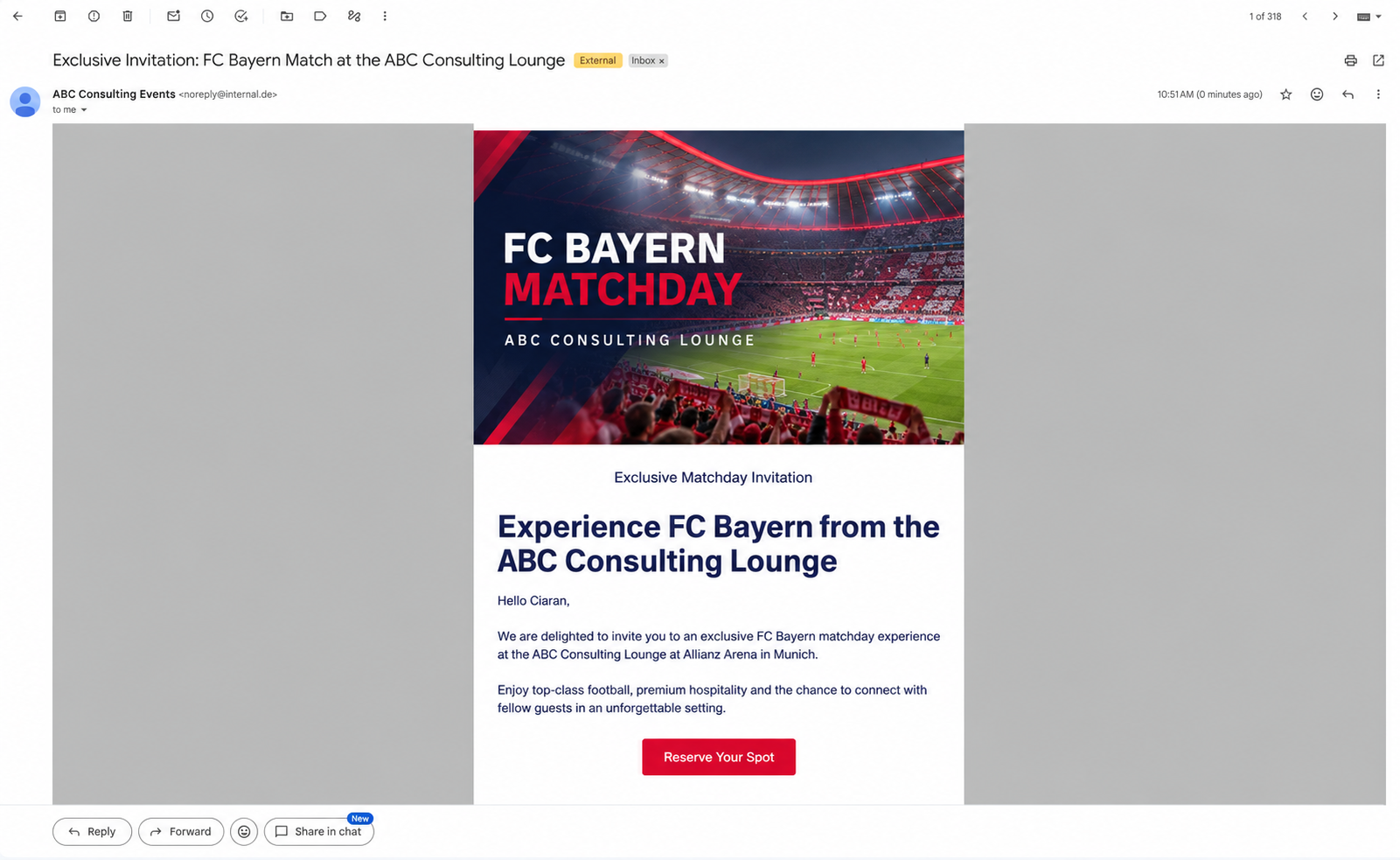
The email invites the recipient to an exclusive football match at the ABC Consulting Lounge and appears to come from "ABC Consulting Events". It greets the recipient by first name, offers a matchday at the Allianz Arena with "premium hospitality" and asks them to "Reserve Your Spot". It offers something people want, looks like normal client hospitality, carries no threat or deadline, and leads naturally to a registration or sign-in, which is where a real attack would collect credentials.
Step 2: Check the sender
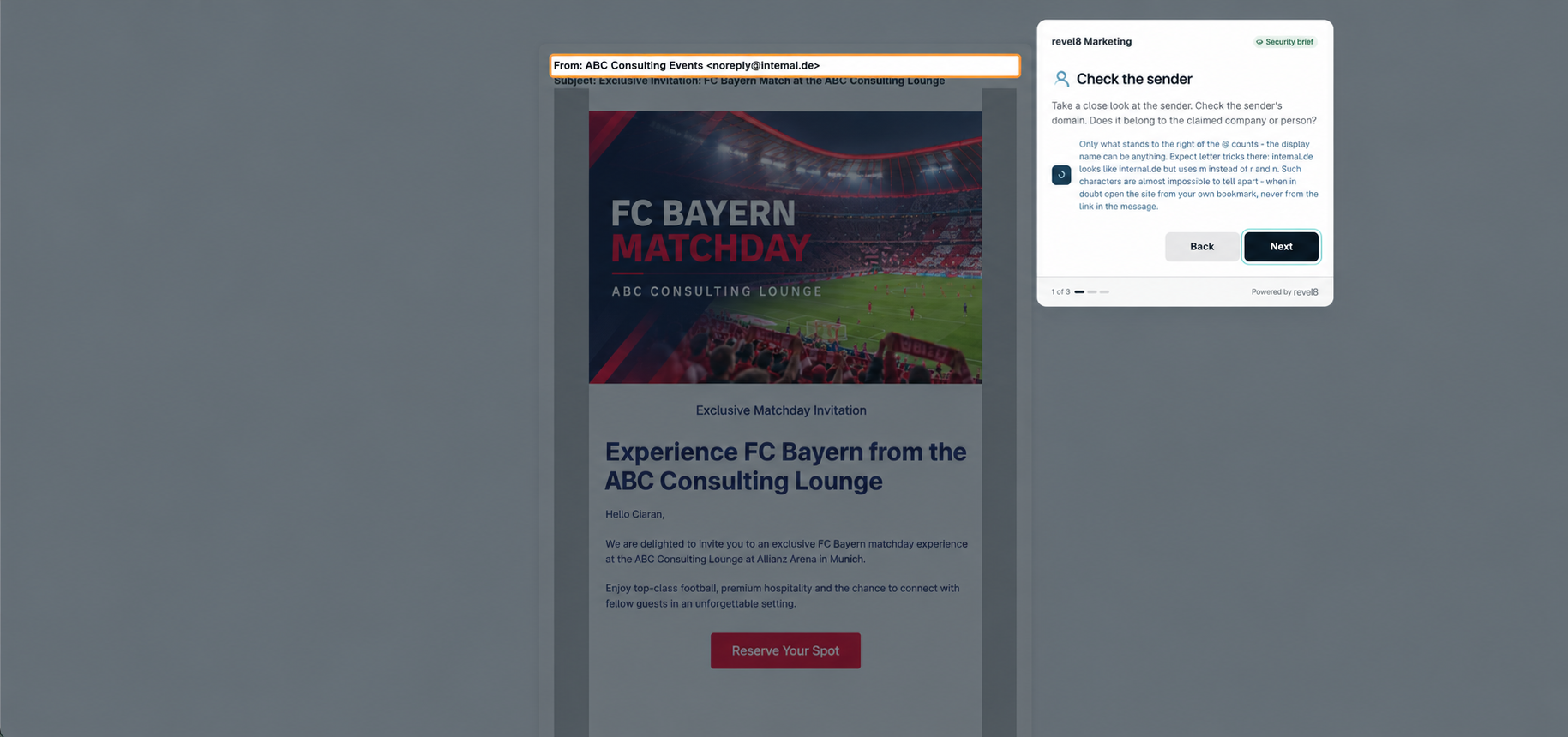
Clicking "Reserve Your Spot" opens a short security brief instead of a login page. Its first card highlights the From line, noreply@intemal.de. The domain has no connection to the firm and imitates the word "internal", with an "m" where "rn" should be. This check is useful against lookalike domains, but it is exactly the check a compromised account defeats.
Step 3: Check the links
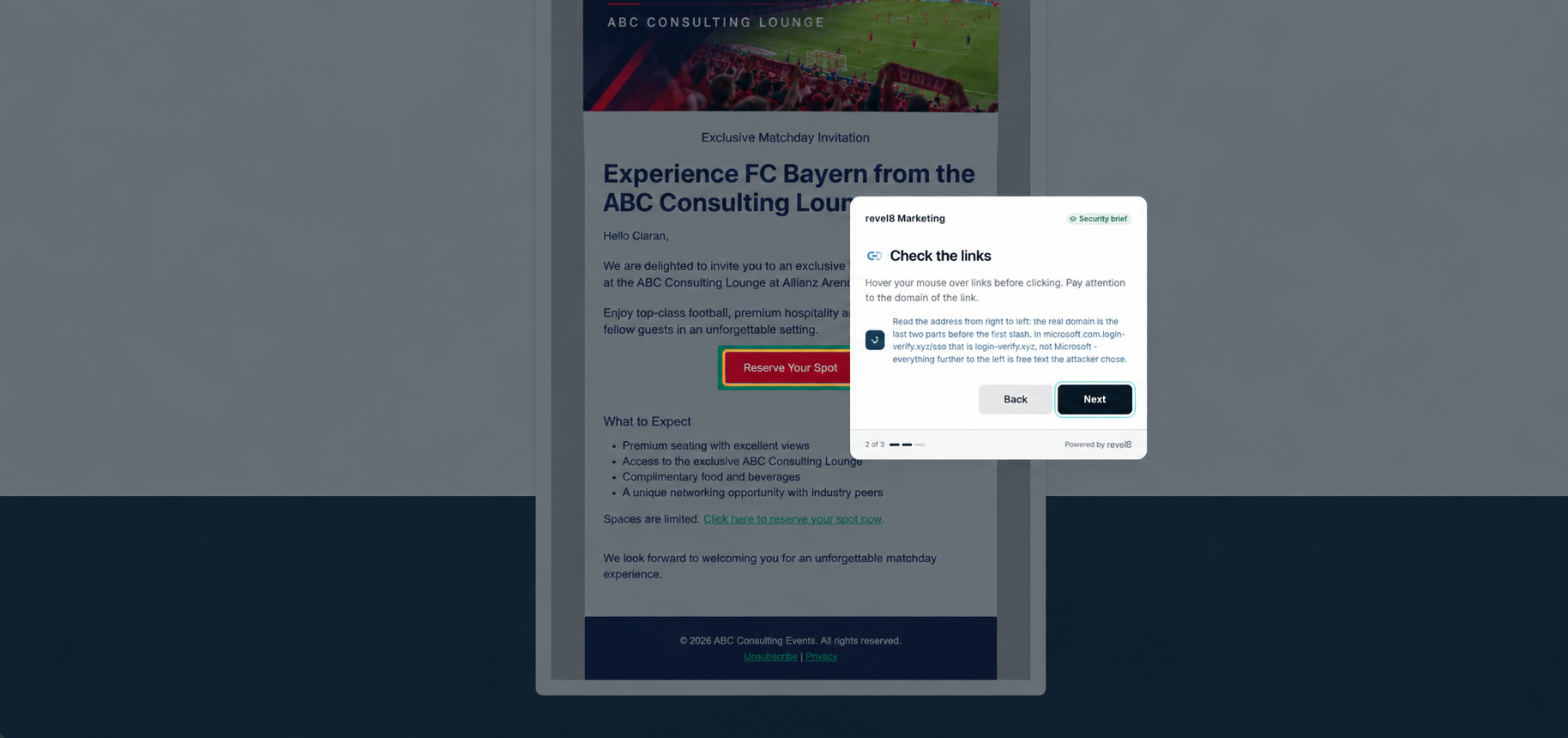
The second card highlights the button and asks the recipient to check where links lead before clicking. The email repeats its call to action further down: "Spaces are limited. Click here to reserve your spot now." Checking the destination helps, but a link can also point to a legitimate-looking or compromised site. For an unexpected invitation, the safer habit is not to use the link and to contact the host directly.
Step 4: Report it
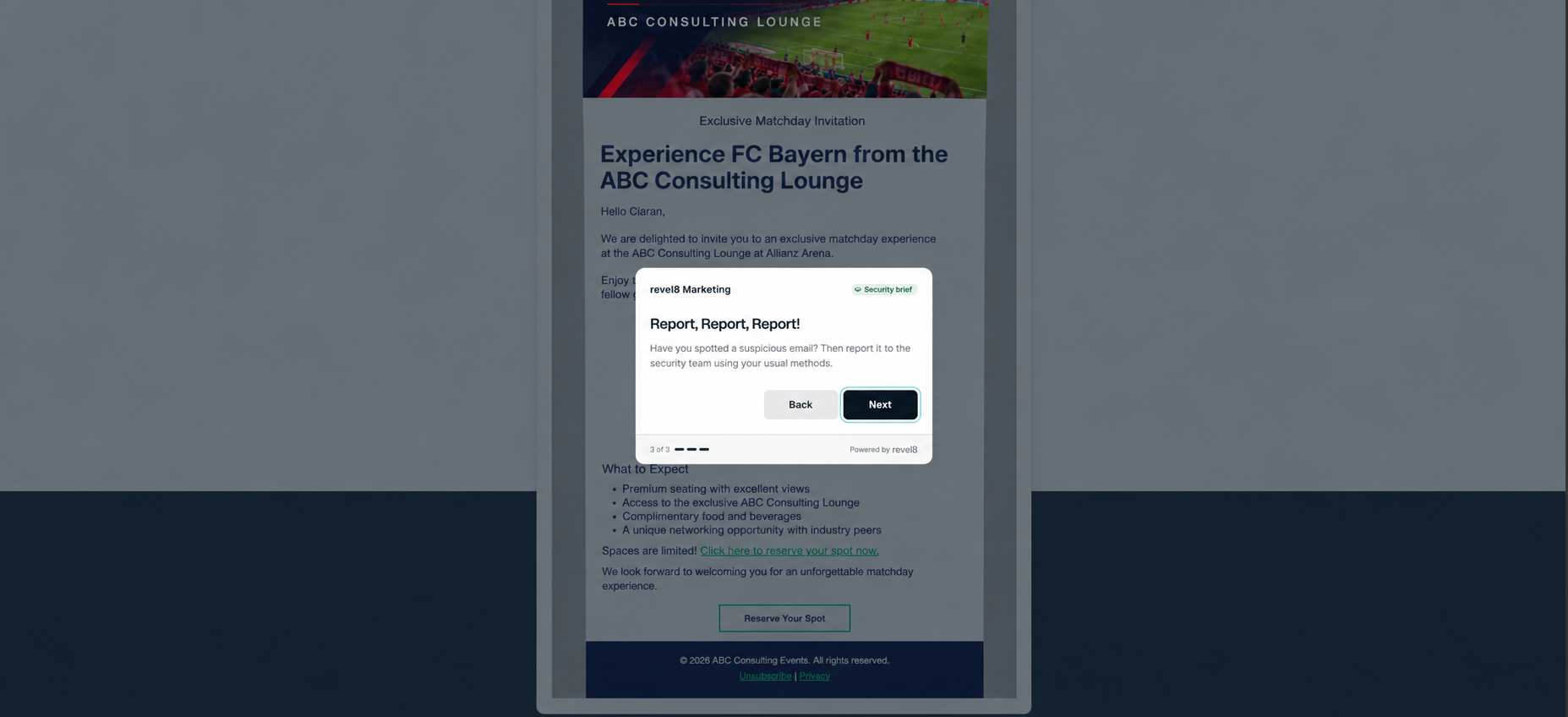
The last card asks the recipient to report suspicious emails to the security team. With a compromised sender, this matters most: an early report lets security warn colleagues who received the same message and alert the organisation whose account was taken over.
How to check an unexpected invitation, even from a known sender
When the sender is genuine, the questions shift from who sent the message to what it asks you to do.
- Was it expected? An invitation or shared document out of the blue deserves a check, even from a known contact.
- Does it lead to a login? An invitation should not require you to sign in with your work account. A Microsoft 365 or Google login page reached from an email link is a strong warning sign.
- Does it fit the sender? A local association inviting you to something far outside its usual scope, or a contact writing in an unusual tone, is worth a question.
- Can you confirm it another way? Call or message the sender using contact details you already have, not those in the email. A genuine invitation survives a two-minute check, and that one call would have caught the CDU messages.
- Have you reported it? Report it even if you did not click. If a contact's mailbox has been taken over, colleagues have probably received the same message.
For more on why polished, AI-assisted lures have made spot-the-mistake training less reliable, see why AI phishing breaks traditional training.
How to keep your own mailbox from becoming the sender
The CDU case shows the sending side of the problem: once an account is taken over, it becomes the attacker's most credible channel. These controls reduce that risk.
- Phishing-resistant MFA on email accounts. Passkeys or FIDO2 security keys stop a stolen password from being enough to sign in. SMS and app codes help but can be relayed in real time, as described in how token theft defeats MFA.
- Alerts on unusual sending. A mailbox that suddenly writes to thousands of contacts should trigger an alert and, ideally, an automatic sending limit.
- Checks for new inbox rules. Attackers often add forwarding or deletion rules to hide replies and warnings.
- The same protection for shared and office accounts. Party offices, associations and small teams often share mailboxes, and these are easy to overlook.
- A prepared warning for your contacts. If an account is compromised, a message sent through another channel limits how many people act on the fake email. The CDU district association's notification of affected contacts is an example of this step.
Test how employees respond to invitation lures
revel8 runs multi-channel phishing simulations built around current themes, including event invitations like the FC Bayern example above. Simulations can be personalised with open-source information, so the lure matches the events, partners and interests that are plausible for each team.
When someone interacts with a lure, revel8 delivers contextual microlearning like the security brief in the walkthrough, and campaign reporting shows how groups respond across successive rounds: who clicks, who verifies and who reports. The aim is to teach employees to judge the request and its context, not only to spot suspicious domains.
Status: 19 October 2026. Based on police statements reported by dpa, and on reporting by SWR and heise online. Will be updated if police or the CDU publish further details.
FAQ
What happened in the CDU Heilbronn phishing attack?
Criminals took over an email account of the CDU district association in Heilbronn and used it to send around 6,500 phishing emails, according to police. Recipients included ministries, political contacts and Chancellor Friedrich Merz.
Was Friedrich Merz's email account hacked?
No such report exists. Current reporting identifies Merz as one of the recipients of the phishing emails, not as the owner of a compromised account.
How did the attackers get into the CDU account?
That has not been made public. Police have not said how the account was compromised or whether it was protected by multi-factor authentication.
What did the phishing links try to do?
It is not confirmed. According to an IT security company cited by SWR, the emails contained links that supposedly opened documents, but where they led and what they were designed to collect has not been published.
How can I tell if an email from a known contact is phishing?
Check the request rather than the address. Be suspicious of unexpected invitations or documents, links that lead to a login page, and requests that are unusual for that contact. Confirm with the sender through a channel you already have.




.avif)