


Example 1: A fake Claude Max promotional email
This sequence is a controlled revel8 phishing simulation, not a screenshot of a real incident. Everything happens in the inbox and the browser.
Step 1: The offer
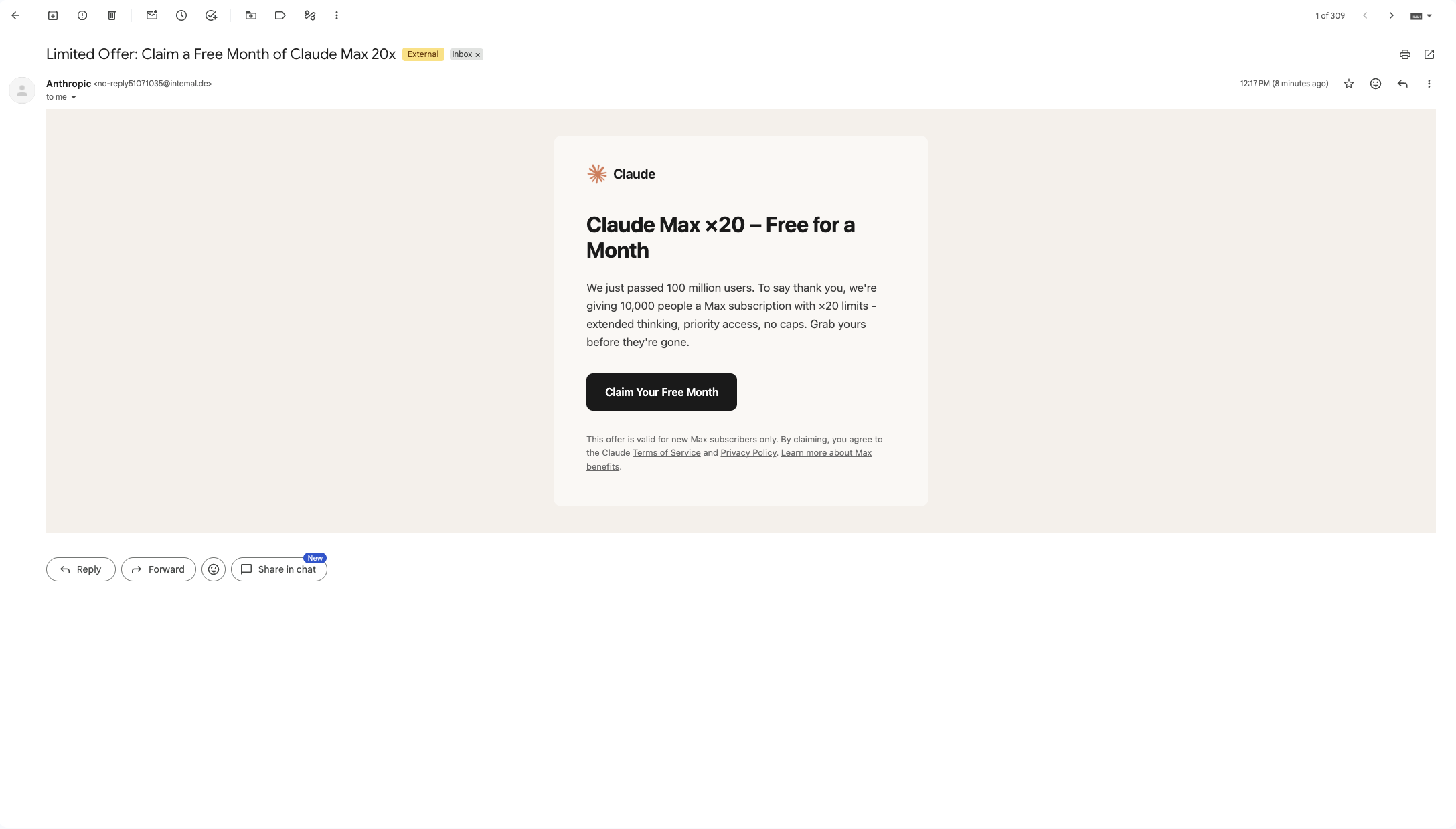
The email promises a free month of "Claude Max x20" to mark a user milestone, with a large "Claim Your Free Month" button. The display name reads "Anthropic", but the sending address is no-reply@intemal.de, a domain with no connection to Anthropic. It also imitates the word "internal", with an "m" where "rn" should be, a substitution that is hard to spot at normal reading speed. The message carries an "External" label.
A free upgrade to an expensive tier is the hook. The logo, layout and tone match Anthropic's; the sender address is the only element that does not.
Step 2: The claim page
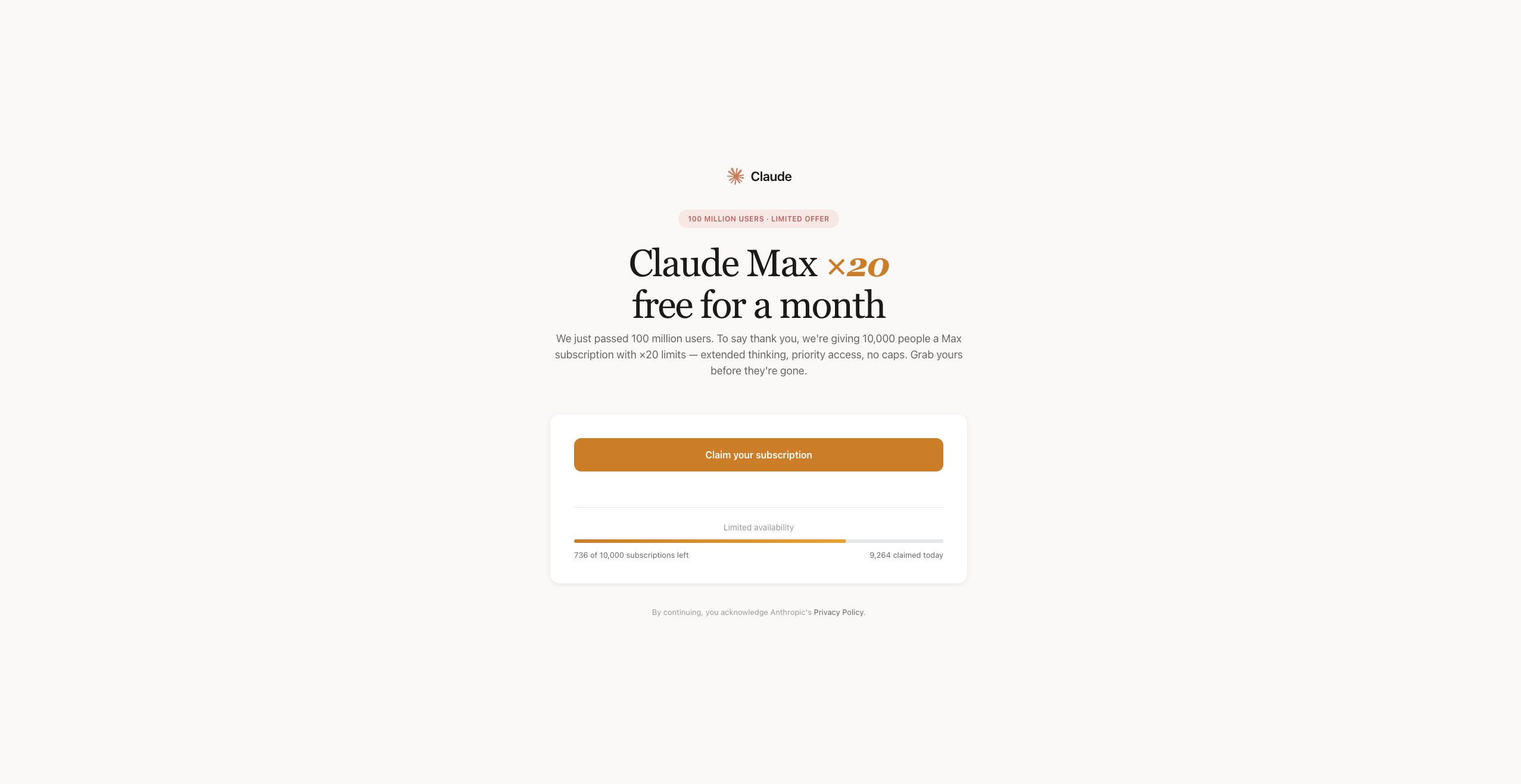
The button opens a page with Claude branding, a "100 million users, limited offer" badge, and a counter reading "736 of 10,000 subscriptions left, 9,264 claimed today". The dwindling counter is there to discourage a second look.
Step 3: The sign-in request
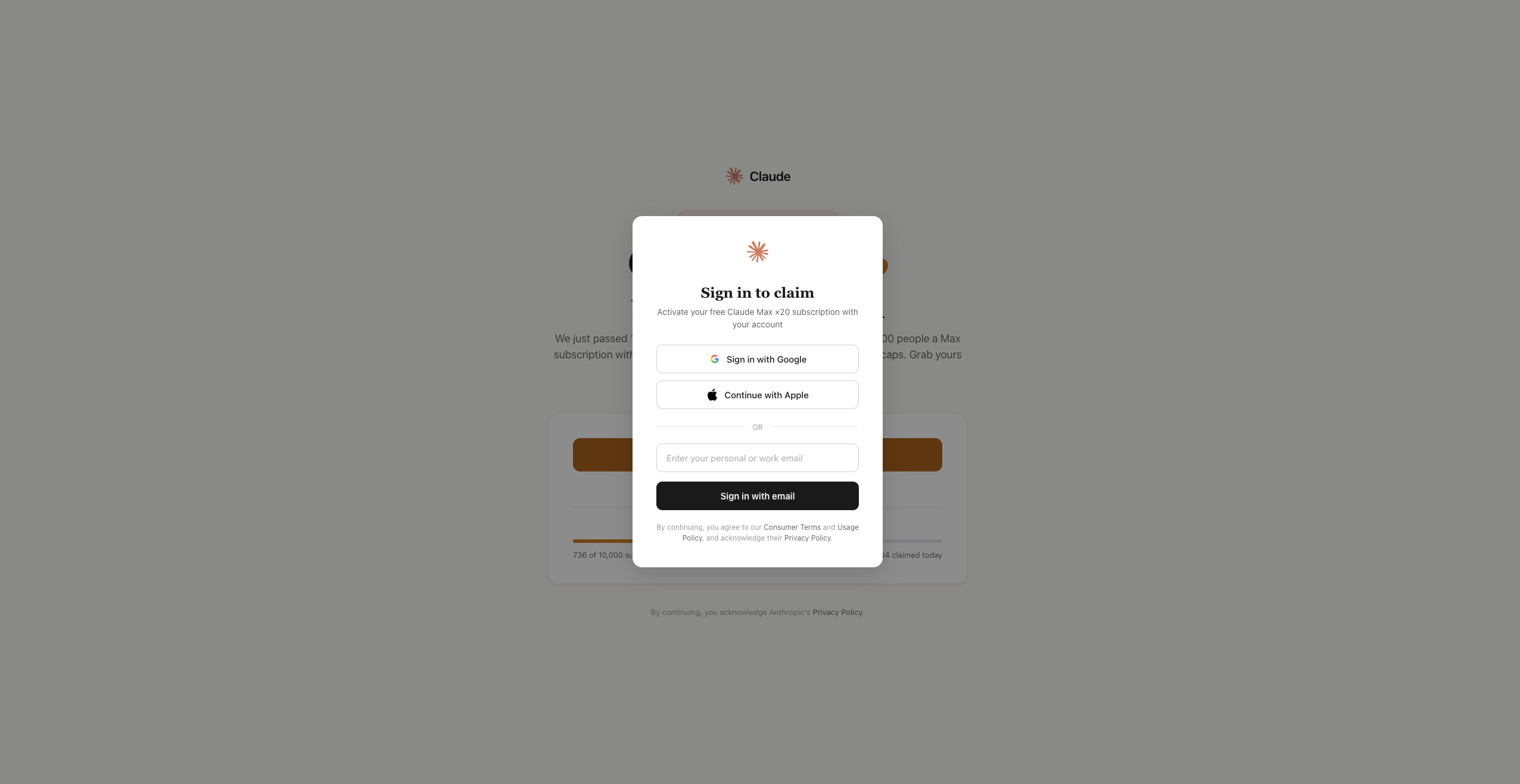
To "activate" the offer, the page opens a "Sign in to claim" dialog offering Google, Apple or email. This is where the risk sits. In real campaigns, a dialog like this either collects the password typed into a fake form or starts an OAuth consent flow that asks the user to grant an attacker-controlled app access to their account. The simulation shows the request itself; it does not show which of the two would follow, and the defence is the same either way.
How to verify it: do not sign in from the page. Open the provider's site yourself, through a bookmark or by typing the address, sign in there and look for the offer. If an offer genuinely requires you to log in, starting that log-in yourself costs nothing; if the offer was fake, the attacker never sees your credentials.
The same lure in a real campaign
This kind of Claude Max phishing scam is not hypothetical. On 23 September 2026, Malwarebytes documented a live fake Claude Max giveaway that announced Anthropic had passed 100 million users and was giving away 10,000 free one-month subscriptions. Its counter claimed fewer than 750 places remained, but the number was generated in the visitor's browser and reset on reload. Only the Google sign-in option worked, and it opened a "browser-in-the-browser" window: a fake Google login drawn inside the page, complete with a padlock and a correct-looking address bar. Malwarebytes' practical test is to try dragging the window past the edge of the page, because a real pop-up can leave it and a fake one cannot.
The real campaign and the revel8 simulation share the same hooks: the milestone, the scarcity counter and the sign-in step. They are separate, and the screenshots above come from the simulation.
Example 2: A fake Claude security alert with an SMS step
The second simulation spans two channels. It is also a controlled scenario: the screens are scripted, and no real sign-in was taking place behind them.
Step 1: The alert
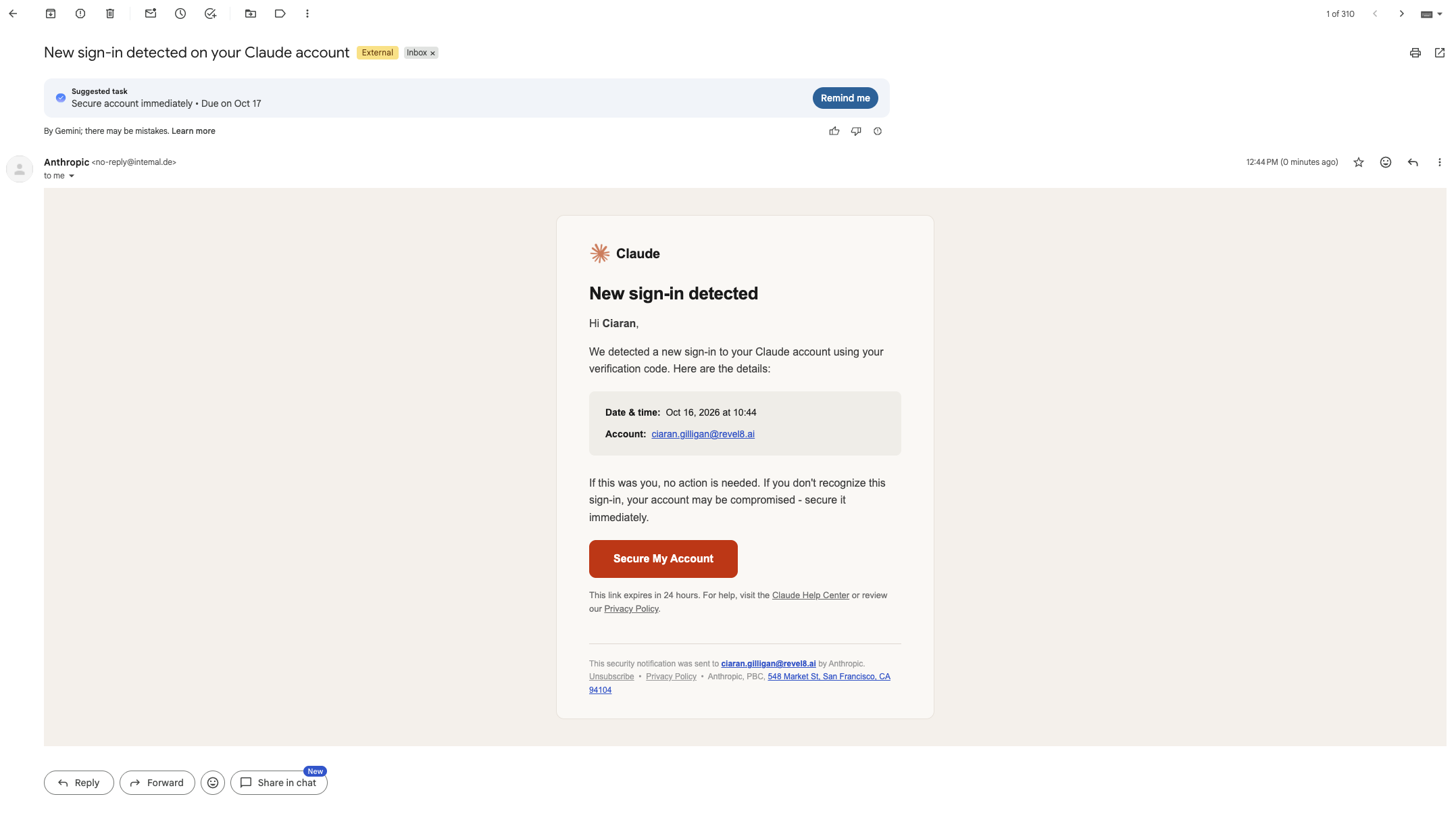
The email warns of a "New sign-in detected on your Claude account", addresses the recipient by name, and shows a red "Secure My Account" button with a 24-hour deadline. It comes from the same no-reply@intemal.de address and is again marked External.
Step 2: The password request
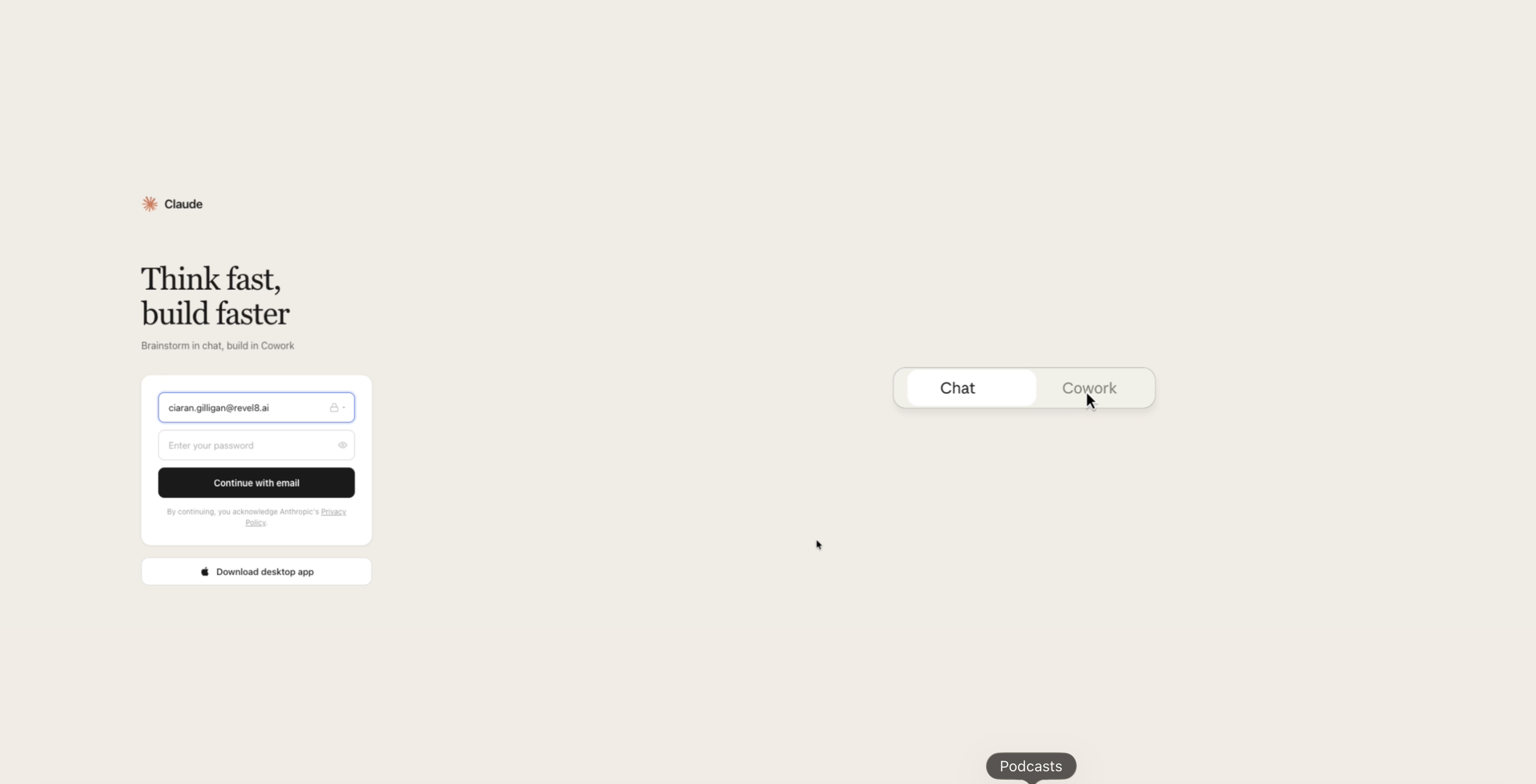
The button opens a sign-in page with the employee's work email already filled in, asking only for the password. A pre-filled address makes the page feel like a service that already knows the user.
Step 3: The verification code
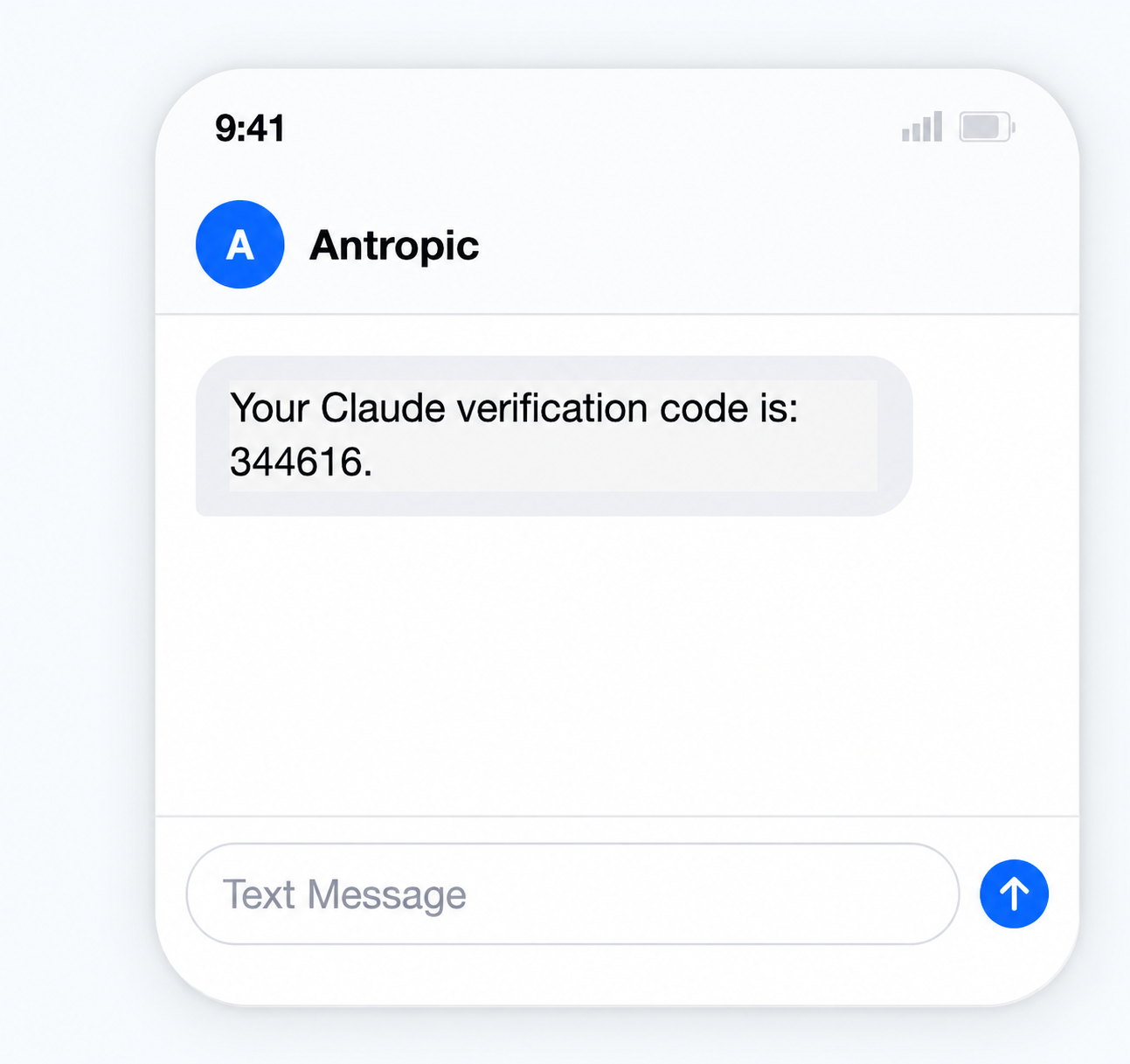
A text message follows: "Your Claude verification code is: 344616", from a sender shown as "Antropic". In the simulation, the message sets up the lesson about codes.
Receiving a code is not, by itself, a compromise. Codes can arrive because someone mistyped a number or a service sent one in error. In a live attack of this shape, though, the order matters: the code arrives straight after a password was typed into a fake page. Someone holding that password can trigger a genuine code from the real service, and the code is the one thing they still lack. The decisive step is what happens next. If the recipient types the code into the fraudulent page, or reads it out to a caller posing as support, the attacker has both factors. If the recipient does neither, the code expires unused.
Typing a code into a sign-in screen you opened yourself is normal. The rule is about where the code goes, not whether it arrived.
How to verify it: ignore the button. Go to the service directly and check its security settings and recent activity for the alert. If anyone asks you to share a code, stop: no legitimate service makes that request. If you have already entered your password on the fake page, change it on the real service before doing anything else.
How to recognise fake Claude phishing emails
AI tools now write clean copy, so spelling mistakes are a weak signal. These checks hold up better against a fake Claude email or any other Anthropic phishing email:
- Compare the display name with the real address. A message can show "Anthropic" while being sent from an unrelated address such as
no-reply@intemal.de. The mismatch is the warning sign. - Read an "External" label in context. It only means the message came from outside your organisation, as most genuine vendor mail does. It is a reason to look closer at a message claiming to be from a provider, not proof of an attack.
- Inspect links carefully, or skip them. Hover over a link and read the full address. A familiar brand name can appear anywhere in a URL, including in a subdomain or a path, so a quick rule of thumb is not enough. For anything that matters, open the service from a bookmark.
- Check the address bar of your actual browser. A sign-in window drawn inside a page can show a convincing address and padlock of its own. The browser's own address bar is the one that counts.
- Treat AI-platform content as user content. ANY.RUN found lures hosted on
claude.aiandchatgpt.comthemselves, as shared conversations, published artifacts and custom GPTs, which no company blocks. One claude.ai artifact posing as "Download Claude" told macOS users to paste a command into Terminal, even though the platform labelled it as user-generated. An official domain does not vouch for everything hosted on it. Take installation instructions only from the vendor's documentation or your organisation's software portal, never from a shared chat, an ad or a search result.
For more on why AI-written lures defeat spot-the-typo training, see why AI phishing breaks traditional training.
Why attackers impersonate Claude and other AI tools
ANY.RUN, which operates a widely used interactive malware sandbox, published research on 14 October 2026 covering 1,258 public sandbox analyses tied to fake AI campaigns between 15 April and 5 October 2026. Claude accounted for 48% of that activity and ChatGPT or Codex for 33%. At least 45% belonged to campaigns that told the user to paste a command into the Run dialog, PowerShell or Terminal, a technique known as ClickFix. The figures count analyses submitted to the sandbox, not confirmed infections or victims.
The campaigns fall into three groups:
- Credential phishing through fake sign-in pages, including fake Google sign-in windows drawn inside a web page.
- Fake installers for Claude, ChatGPT and other tools, promoted through search results, Google Ads and GitHub, which deliver infostealers or remote access trojans.
- Command-execution lures, where a fake download or installation page copies a command for the user to run. The command fetches malware using built-in system tools.
Microsoft Threat Intelligence documented a credential-phishing example in detail. Between 20 and 22 April 2026, emails using the display names "Anthropic Teams" and "Anthropic PBC" reached targets in more than 2,000 organisations, 62% of them in the United States, 18% in the United Kingdom and 9% in India. They claimed the recipient's Claude account had breached a usage policy and attached a PDF appeal form, whose link led through a Cloudflare check towards a credential-harvesting page. The final page had gone offline by the time Microsoft analysed it; shared infrastructure and redirect logic suggested an adversary-in-the-middle (AiTM) setup, in which the attacker relays the real sign-in to capture the password and session token together.
For European organisations, Europol's Internet Organised Crime Threat Assessment 2026 supplies the context. It describes generative AI as making social engineering easier to personalise and scale, and names phishing and smishing, phishing by SMS, as persistent techniques across the EU. None of these studies measures how often Claude lures specifically reached European inboxes, but the method behind them needs no regional adaptation.
What to do if you clicked or entered something
Opening a phishing page is not the same as being compromised, and treating every click as a disaster discourages reporting. The right response depends on what happened next:
- You opened the page but entered nothing. Close it and report the message. On a patched, managed device this is usually low risk, and the report helps your security team warn colleagues.
- You entered a password. Change it on the real service, and anywhere else you used it. Tell your security team so they can check for unfamiliar sign-ins and end active sessions.
- You shared a verification code or approved an app. Report it immediately. Your security team can sign out existing sessions, revoke the app's access and re-secure the account.
- You ran a command or installed software. Treat it as a possible malware infection. Follow your incident procedure, which may mean disconnecting the device, and contact security rather than trying to clean it yourself.
MFA reduces the damage, but its forms differ. Codes sent by SMS or generated by an authenticator app (TOTP) can be phished in real time: an AiTM page simply relays the code to the real service. FIDO2 passkeys are phishing-resistant because the authentication is bound to the genuine website's origin, so a lookalike domain cannot use it. A separate risk remains on the device itself: infostealer malware can copy session cookies from a compromised computer, bypassing sign-in altogether. Our article on how token theft defeats MFA covers this in more depth.
Test how employees respond to fake Claude phishing
Recognising a phishing attempt in an article is one thing. Spotting it in a busy inbox is another. The two examples above are built to test that difference.
Example 1 tests an email-to-browser sequence: does the employee notice the sender mismatch, and do they sign in on the claim page? Example 2 adds a second channel: does the employee type a password into the fake page, and what do they do when a code arrives by SMS straight afterwards? Both can be run as multi-channel phishing simulations across email and SMS.
The simulations separate three behaviours that a click rate alone blurs together:
- Detecting that a request is suspicious, for example spotting the gap between "Anthropic" and
intemal.de. - Verifying it independently, by opening the real service from a bookmark instead of using the button.
- Reporting it, so the security team can warn colleagues and, in a real attack, act before the access is used.
When an employee interacts with a lure, revel8 shows contextual microlearning straight away: short cards that explain the specific signal they missed in that scenario, such as the real sender address, the link destination or the unexpected code. Campaign reporting then shows how each group responded, and repeating simulations over time shows whether protective behaviour and reporting change between rounds.